Install & Update
General Guidelines
How to Add New Section?
Adding a New Section
To add a new section, click on the + icon on the top left corner of the editor.
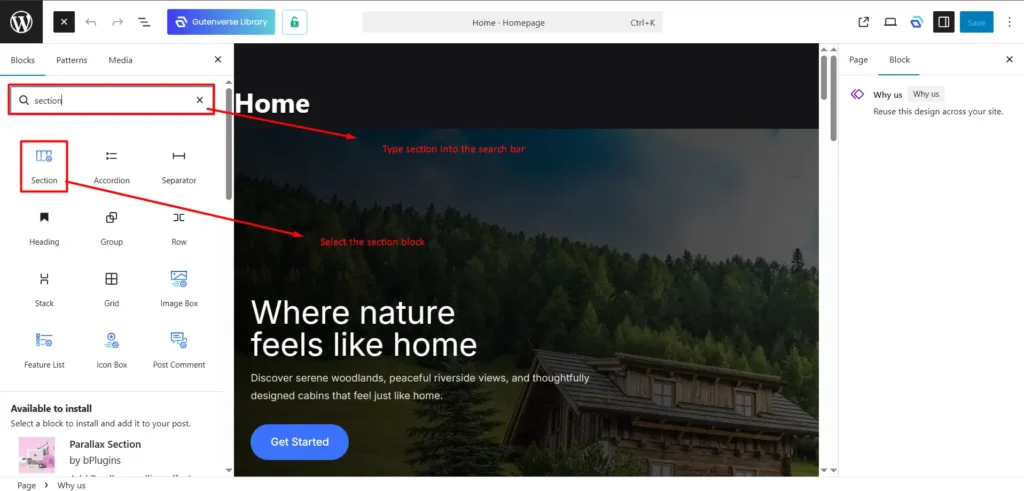
A sidebar on the left will appear, click on the Blocks tab and type “section” inside the search bar.
Then click on the Section block (please refer to the image below).
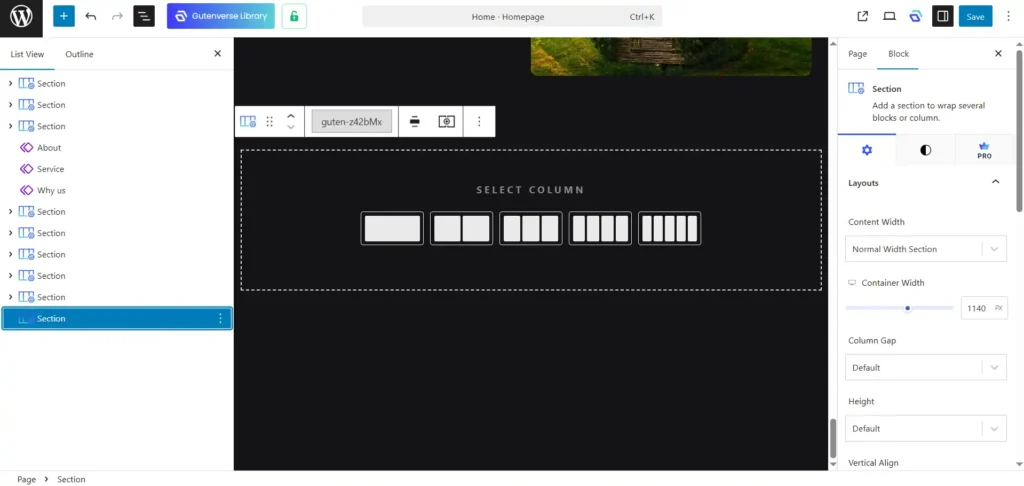
After that, the section block will be added.
You can select how many columns you would have in the section.
On the right sidebar, you will find the settings for that section.
If the sidebar doesn’t appear, click on the square icon on the top right corner of the editor (please refer to the image below).
That’s all the basics on how to use the Section block.
Happy editing!