Install & Update
General Guidelines
How to Modify Header & Footer?
The header and footer are essential components of your website.
The header typically contains your logo, navigation menu, and key contact details, while the footer often includes copyright information, additional links, and social media icons.
Modify from Template Editor
To modify the header/footer is through the template editor.
From the admin dashboard, go to Appearance→Editor.
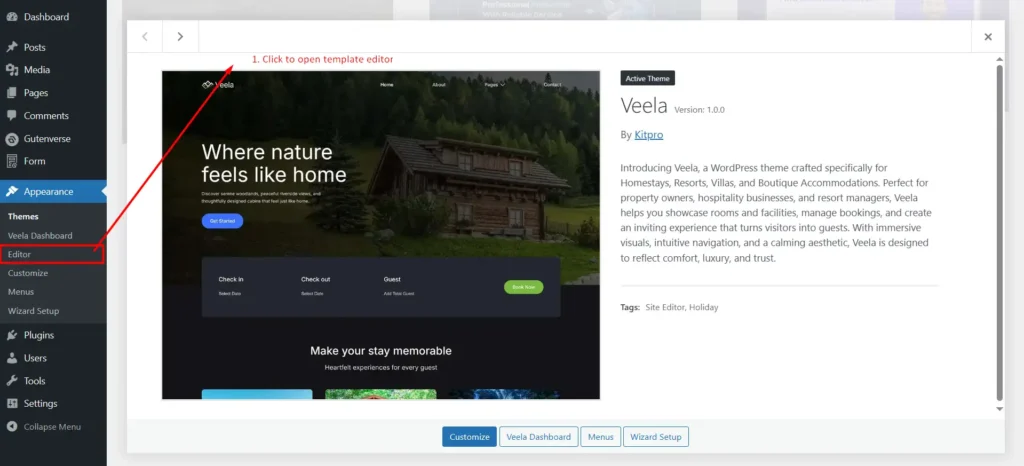
You will enter the template selection screen (please check the image below).
On the template selection screen, select the Patterns option.
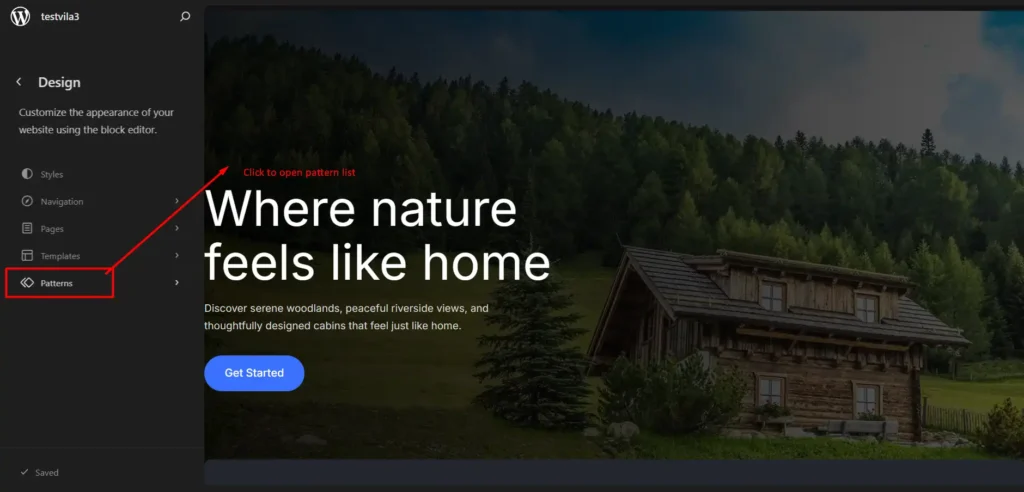
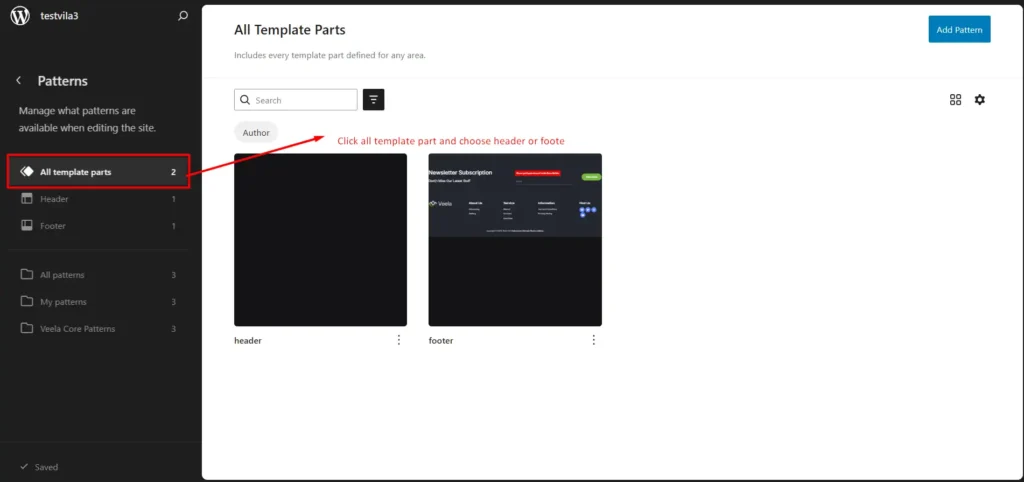
Then the screen will change, select “All Template Parts” option.
Click on the one you want to edit.
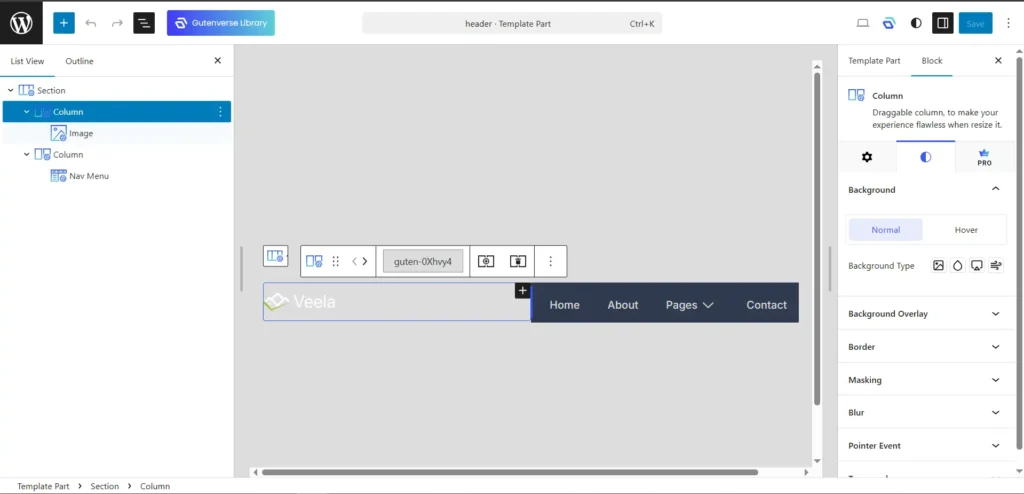
A pattern editor will open, and you can start editing the header/footer.
Click on the ≡ icon to open the block navigation menu.
Select the block you want to edit.
A sidebar panel will appear on the right and you can modify any settings for the selected block.
Now you can start customizing your header/footer appearance to better suit your needs.
Happy editing!